How it works and how you can set a shorcut on your device so you can easy access to the note
Key Features:
No login or sign-up – A unique URL gives you direct access to your notes.
Automatically saved in the cloud and accessible later through the same link
Automatic synchronization – Easy access your notes across all your devices.
Digital whiteboard – Write freely without being limited by predefined structures or formats.
Simplicity – Everything is simple and straightforward, without unnecessary complications.
Reach text formatting
Terminal tool – Manage your notes directly from the terminal using the Notedux CLI.
Export to PDF
The service is based on a unique link. Only you know this link, so save it somewhere safe to access your note later. You can also create and edit notes directly through our CLI tool, without ever opening a browser.
The token is stored in your browser session, so after reopening your browser, the note will reopen automaticly , but after some time the browser will delete the token from session , so you need to create a shorcut link on your computer/phone.
To access your note anytime, create a shortcut on your device. Notedux uses a unique link for each note, so make sure you open your own Notedux note link before creating the shortcut. This way, the shortcut will open your specific note directly.
Instructions for creating a shortcut
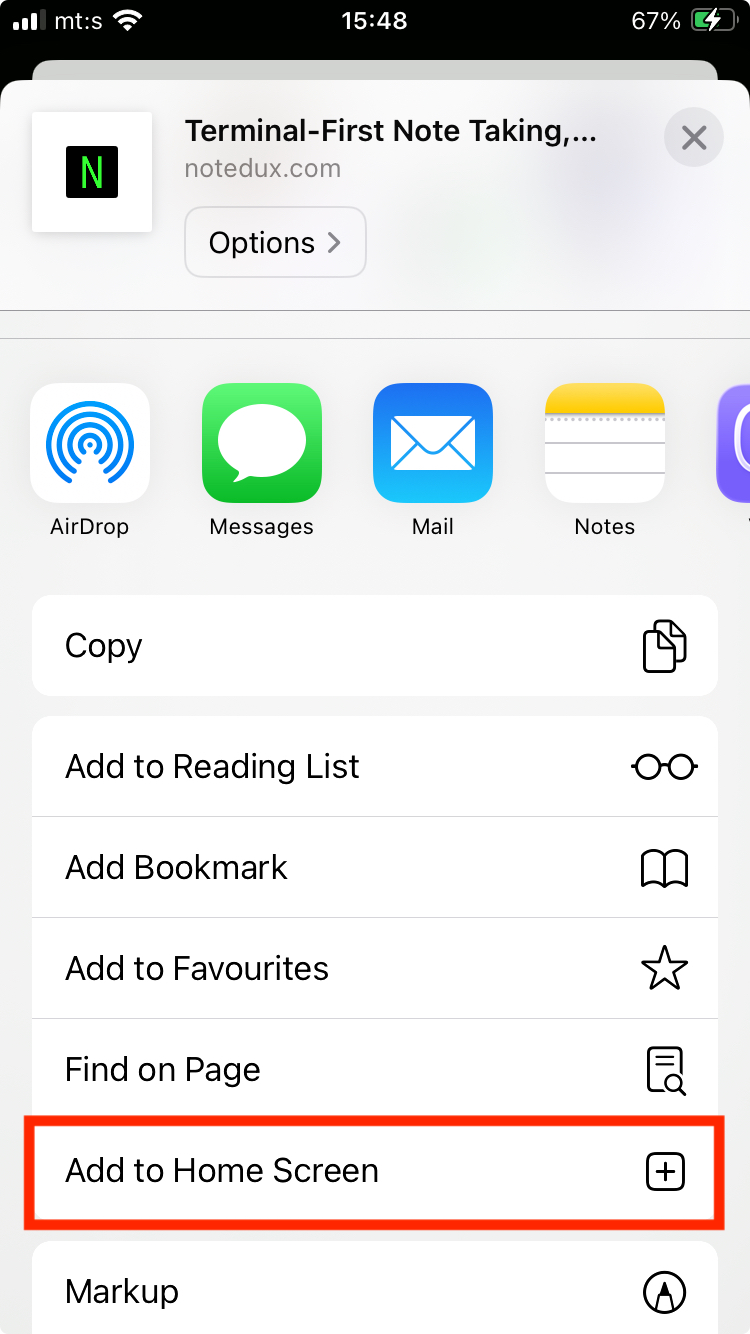
Tap the Share button at the bottom of the screen.
Scroll down through the options.
Tap Add to Home Screen.
Tap Add.
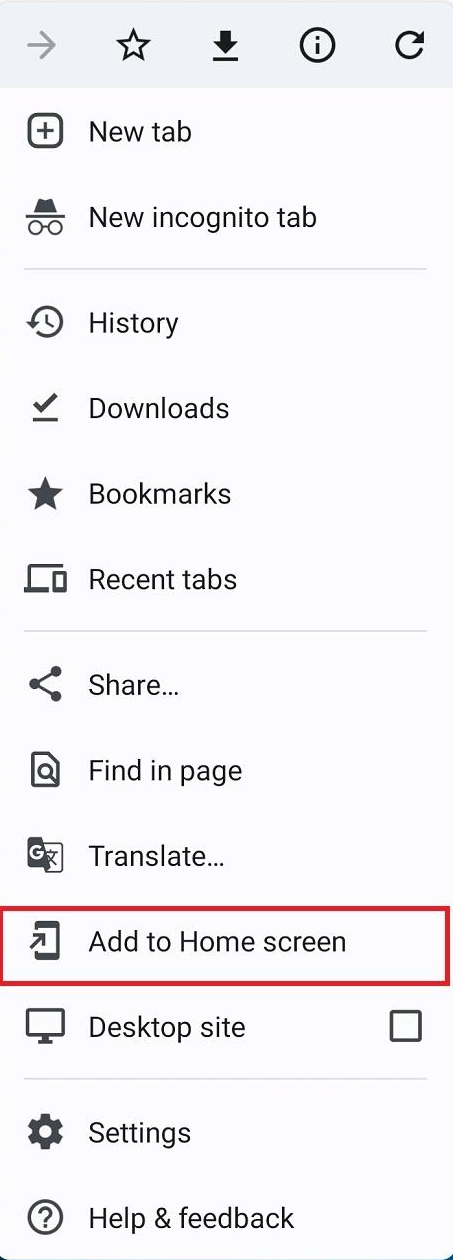
Tap the three dots (⋮) in the top-right corner.
Select Add to Home screen.
Tap Add.
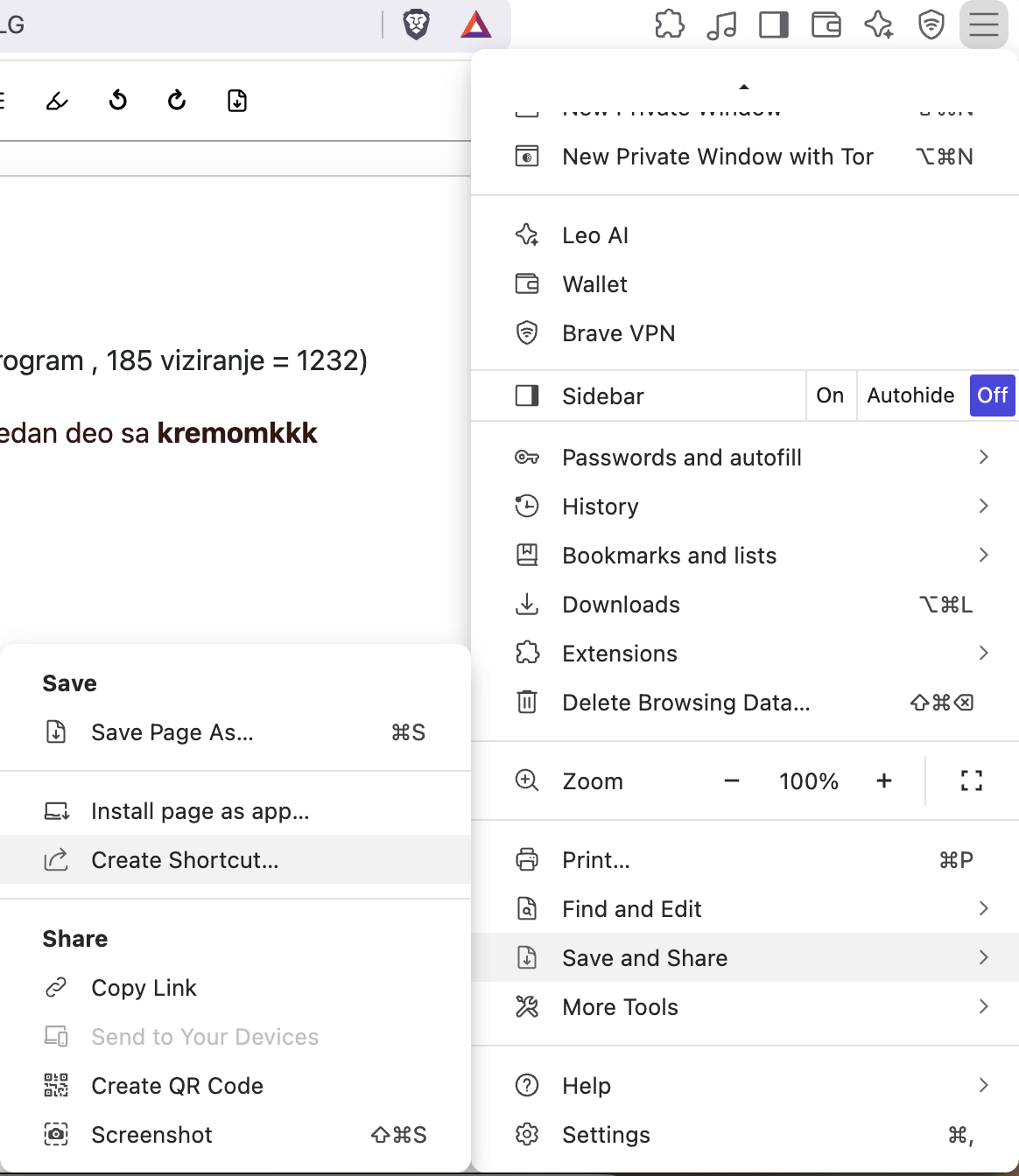
Click the three dots (⋮) or the humburger icon in the top-right corner.
Select Cast, save, and share (or Save and Share) → Create shortcut.
Click Create.
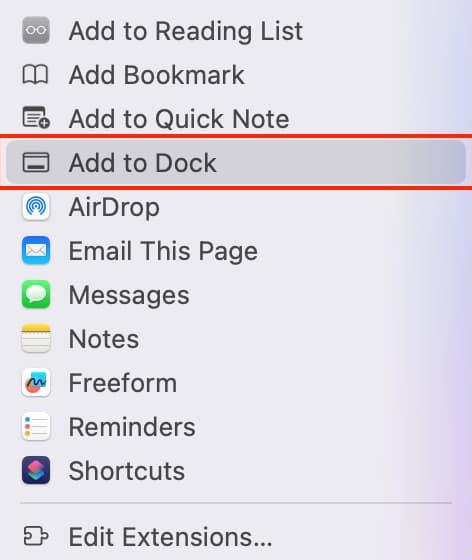
Click the Share button in the Safari toolbar.
Select Add to Dock.
Click Add.
Your link may remain stored in your browser history, and someone using your computer after you could potentially find and access it.
Also, if you share your link with someone, they can forward it to others, allowing access to your note without your knowledge or approval.
So, don't save sensitive data such as passwords or credit card numbers.